Konstella for EDS Families
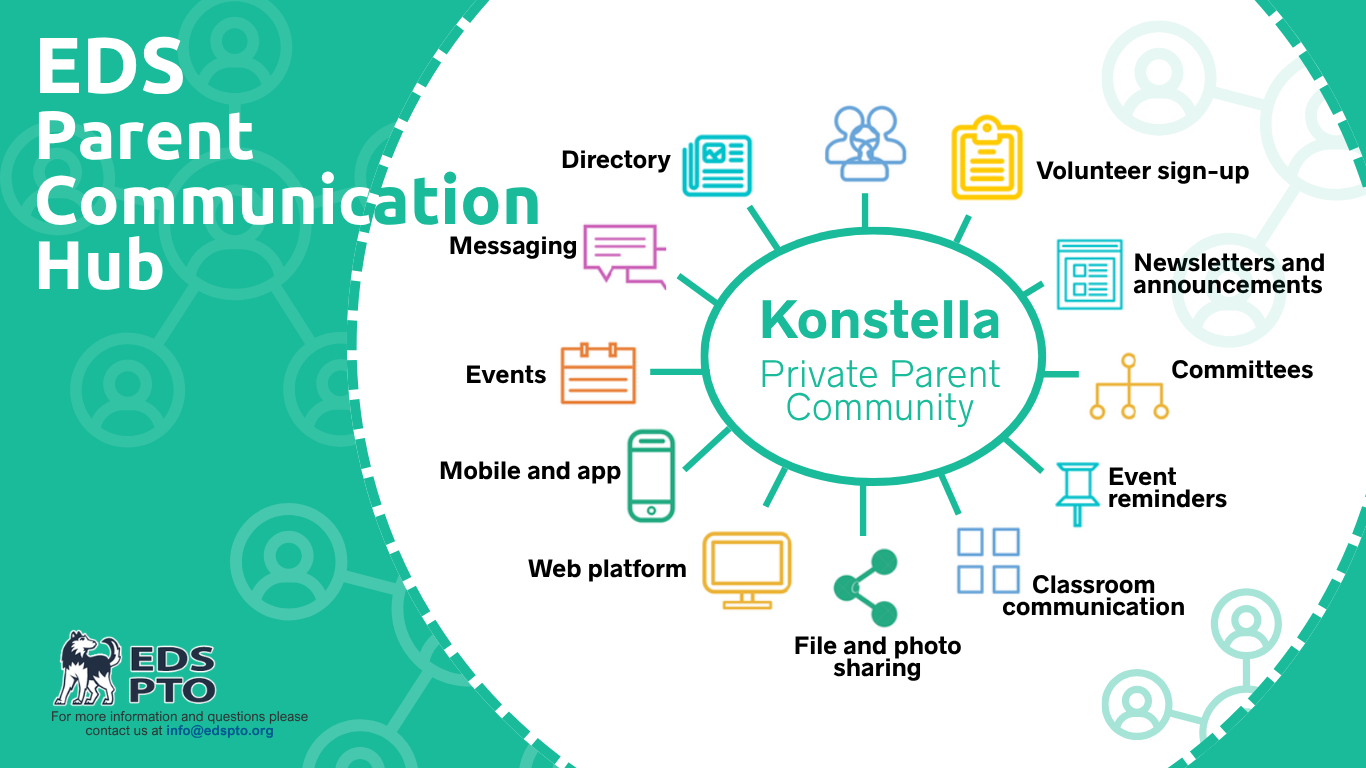
Konstella is the main way for EDS families to stay in touch! It's a private communication hub that makes it easy to keep up with school community news, events, and each other—all in one place.
Note: You’ll still receive official school and district updates (such as messages from teachers and administration) through ParentSquare.
Why Konstella?
One place for school donations, sales, community updates, and volunteering signups
Central hub with synced calendar
Message other families privately or in a group
Join or start shared-interest social groups
Choose your privacy and notification settings
Bonus: All messages on Konstella can be translated into your preferred language!
Konstella is the hub for everything happening in the EDS community.
Here's what you can expect to find and do there:
Everyone on the Bus (EOTB) Donation Drive
Volunteering opportunities and sign-ups
Starting Arts Musical registration
PTO event details, updates, and records
Classroom directories
School calendar with sync feature
Signing up is easy! Just use the link in Ms. Ainscow’s ParentSquare newsletter, or stop by the Konstella table at the Welcome Back Coffee on the first day of school. Konstella is available on desktop or through the iOS and Android apps.
Once classroom assignments are available on the evening of August 13, join your child’s assigned classroom group. Sixth-grade families should join the 6th Grade group.
Continue using your existing Konstella account on desktop or through the iOS and Android apps.
Entering kindergarten, second grade, or fourth grade: Join your child’s new classroom group after assignments are available on the evening of August 13.
Entering sixth grade: Join the 6th Grade group.
All other grades: No action is needed. Your existing group has been renamed for the new school year.
Need Help?
If you need a little help getting started, check out our User Guide and FAQ, or email EDSPTO Communication with your name, your student’s full name, grade, and classroom (if known). A parent volunteer will follow up to help you get set up on Konstella.
Quick Links